
Setting up Greyhound and Whappodo
Note
Make sure you are using the latest version of Greyhound. You must have set up a messenger in Whappodo to use Greyhound.
- Open your Greyhound and select menu
Settings→Accounts→Messenger Accounts - Click on
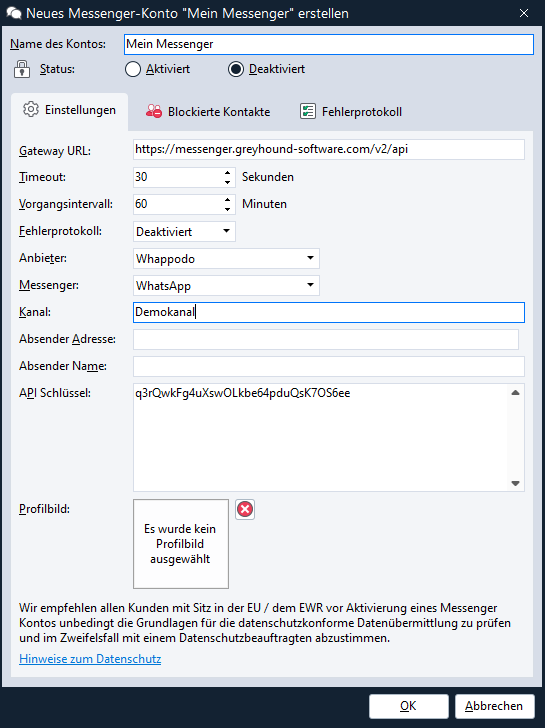
Create new messenger account - Fill in the
Account namefield and change theStatustoactivated - For
Provider, selectWhappodo - For
Messenger, select the corresponding messenger - For
Channel, assign your own name - You can get the API key and further information in your personal Whappodo Area
- Confirm with OK
Done!
All incoming messages should now be transmitted to Greyhound. When you process tickets, all messages will be sent to your customers via the corresponding messenger.