WhatsApp
Conversations
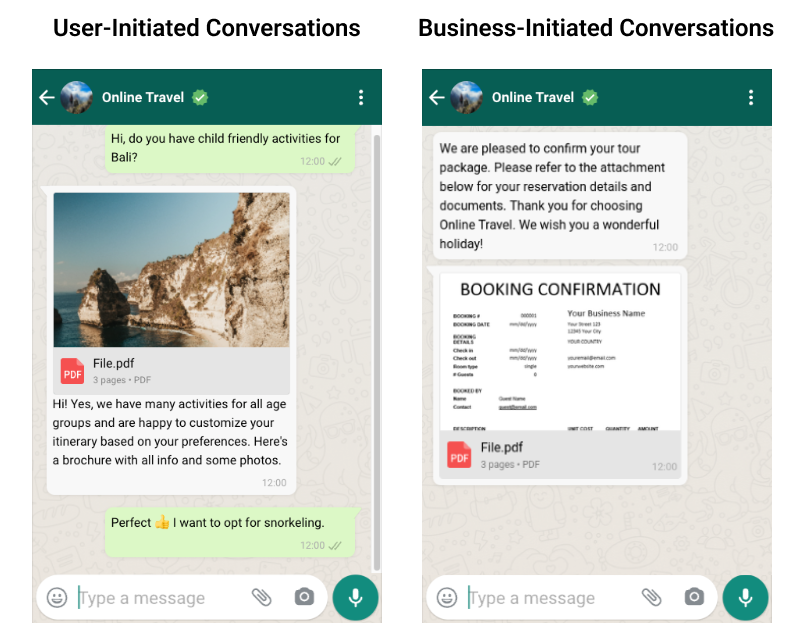
Conversations are message threads between you and your customers. Conversations can last up to 24 hours and must be initiated by you (business-initiated) or your customers (user-initiated). Customers can start a conversation by sending you any type of message. However, you can only start conversations by using a message template. Once the conversation has started, you can send any type of message to customers.
Pricing
Note
For some conversations, a fee from Meta applies, which we pass on to you without markup. Incoming messages are initially free. If you reply to a message within 24 hours, it counts as a Service conversation. If you reply after the 24 hours have elapsed using a template, it counts as a Utility conversation. If you send a broadcast / news to subscribers, it counts as a Marketing conversation.
The first 1000 conversations per month are free.
Note
The country code in the prefix of the customer's WhatsApp number is decisive for pricing according to the price list.
User-initiated conversations
This includes the Service message. A conversation initiated by a user is a thread of messages started by a customer sending any type of message. No prior consent is required for this. When the business replies to the customer, it opens a 24-hour customer service window. All messages exchanged between the customer and the business within this window are linked to the conversation.
Business-initiated conversations
This includes the Utility message and Marketing message. A conversation initiated by a business is a thread of messages between a customer and a business, which the business starts by sending an approved message template to the customer. Prior consent is required for this. When the business sends the template message, it opens a 24-hour customer service window. All messages exchanged between the customer and the business within this window are linked to the conversation.
Once the customer replies to the business's message template, the business can send all types of messages to the customer.
Customer Service Window
A customer service window is a 24-hour time frame that begins as soon as the user sends a message to the business.
Once a customer service window has been opened, a business can send any type of message to the customer. If the window is closed, a new conversation must be started either by the customer or the business to open a new customer service window.
Automated Template Sending
To make it as uncomplicated as possible for our customers, we take care of automated template sending when it is needed.
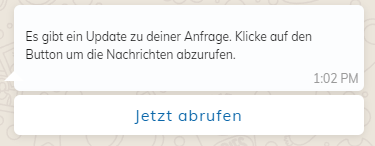
If you use a WhatsApp number for customer support at Whappodo and do not reply within 24 hours, we automatically send a pre-created template to the customer with your next message, via which they can then retrieve their latest messages with a button click.